On-air cockpit
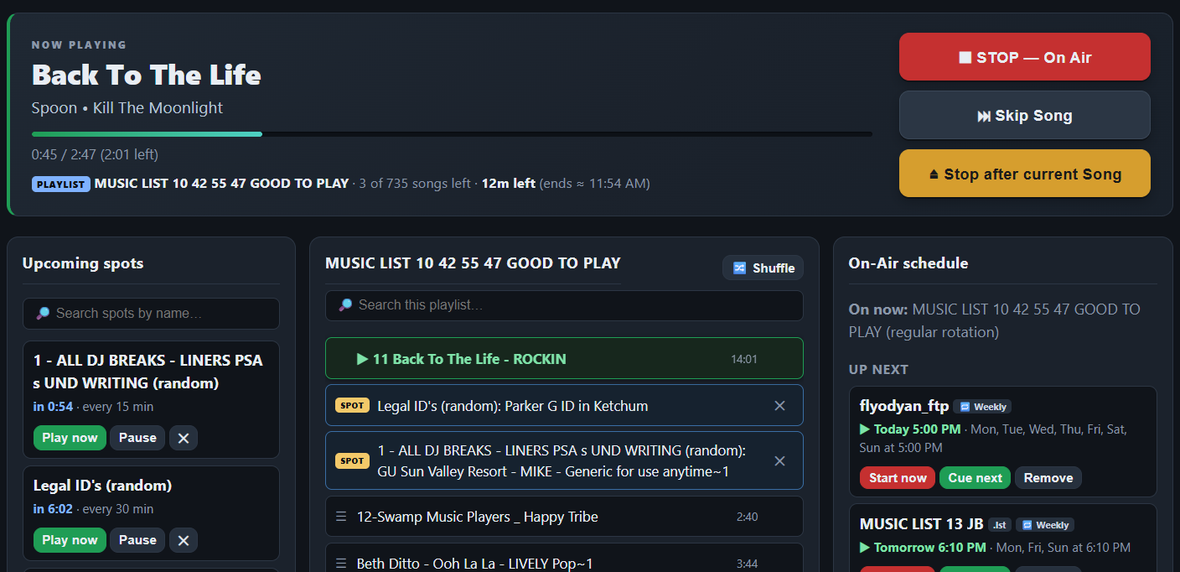
Now playing with real artist/album/title from tags, a GO / STOP master switch, skip and stop-after-song, live as-aired history, and a studio-health badge — big buttons, plain English.
StudioFire is self-hosted radio automation for Windows — a modern ZaraRadio replacement built for small FM, LPFM, and community stations. One installer, your hardware, your music library. No cloud, no subscription, no internet required to stay on air.
Windows 10/11 · single installer · checksums published with every release
Every other part of the system — web GUI, scheduler, indexer — can crash, hang, or be updated. The music keeps playing.
Now playing with real artist/album/title from tags, a GO / STOP master switch, skip and stop-after-song, live as-aired history, and a studio-health badge — big buttons, plain English.
Every playlist IS a .lst file on disk. Open your existing Zara playlists directly; every edit saves back to the same file, with paths translated automatically.
Shows run once, daily, or weekly with run windows and a month calendar view. They take over at a song boundary and hand back to rotation cleanly.
Rotating folders for station IDs, ads, PSAs and jingles — every N minutes, set minutes past the hour, one-off, or manual. Always inserted at song boundaries; music is never cut off.
As-aired logs by date range with CSV export for sponsor affidavits and regulatory records — built from the tamper-resistant play journal the engine writes directly.
A background indexer scans your NAS share (MP3 & M4A/AAC) without hammering the network. Songs are pre-cached to local disk before airtime, so a network hiccup can't interrupt playback.
The audio engine is a tiny standalone service that never touches the database or the network. If the current source can't play, the next one is already waiting.
Pre-cached to local disk before airtime.
Your curated, always-safe local tracks.
More local music already on disk.
Ships with the installer. Something is always on air.
The engine watches itself every second and auto-restarts the player if it hangs. The stack was torture-tested — NAS yanked mid-track, player killed repeatedly, corrupt files queued, power cycles — with a pass bar of zero silence longer than two seconds over 72 hours.
Every screen below is a real capture from StudioFire 1.5.1 running a live station playlist — no mockups. It is a web GUI, so the same screens work on the studio PC, a tablet at the desk, or a phone down the hall.
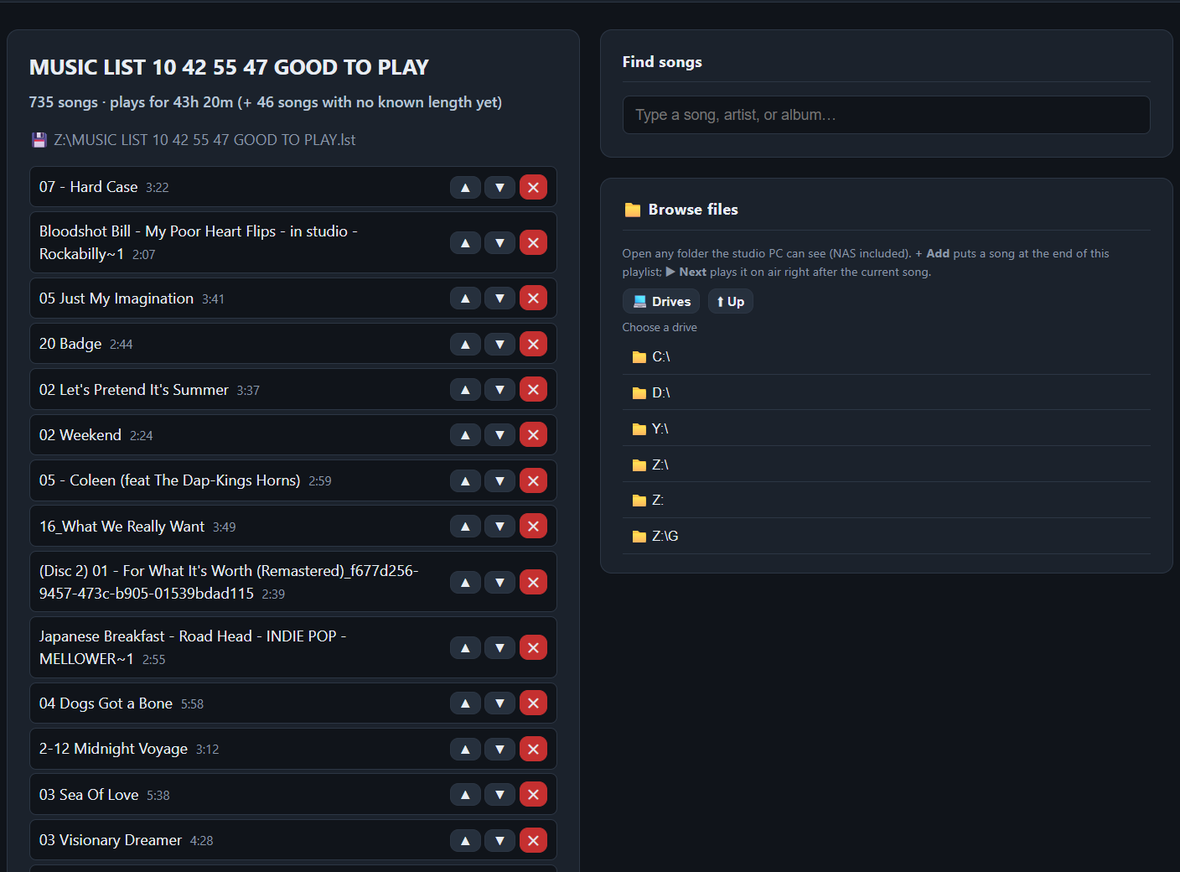
.lst directly, reorder songs, and save back to the same file.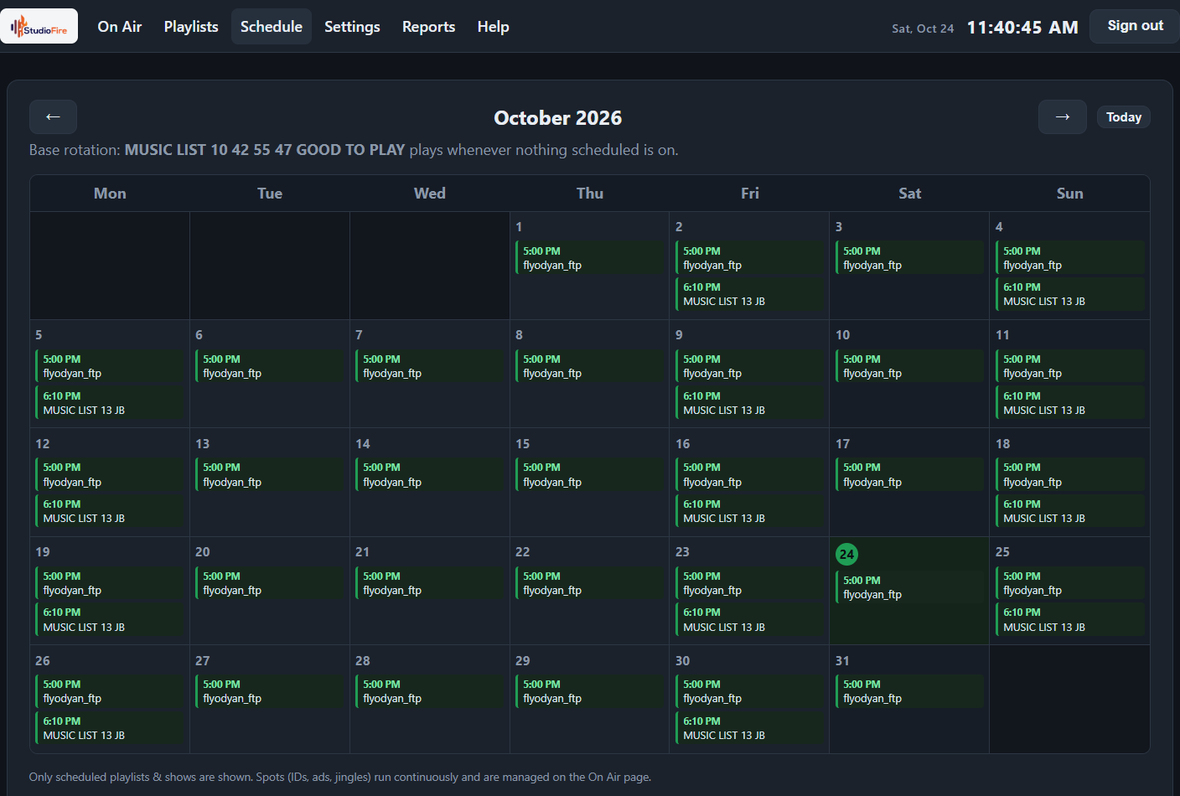
Your playlists just work. Open them directly, keep editing the same files, and run Zara and StudioFire side by side on the same playlists during your transition. Operators get a web GUI from any device on the studio LAN — the on-air PC just runs the services.
Windows installer · bundles embedded Python, mpv & NSSM — nothing to pre-install. Upgrades keep your config, playlists and data.
Telemetry: the web GUI includes optional GA4 usage telemetry (feature usage + station name only). It runs only in the browser — the audio engine and playout path never send anything. Opt out with one line in config\config.json.
StudioFire is built and supported by VeteranOp — the small IT shop that runs KDPI's studios, networks and backups. Ask us anything about the software, or get us to install, tune and monitor it on your station's hardware.